
ROG Ally X20 vs Steam Deck OLED vs Legion Go 2: 2026 Handheld Comparison
Tested head-to-head: benchmarks, thermals, battery, ergonomics, software, and value. Which 2026 handheld should you actually buy?
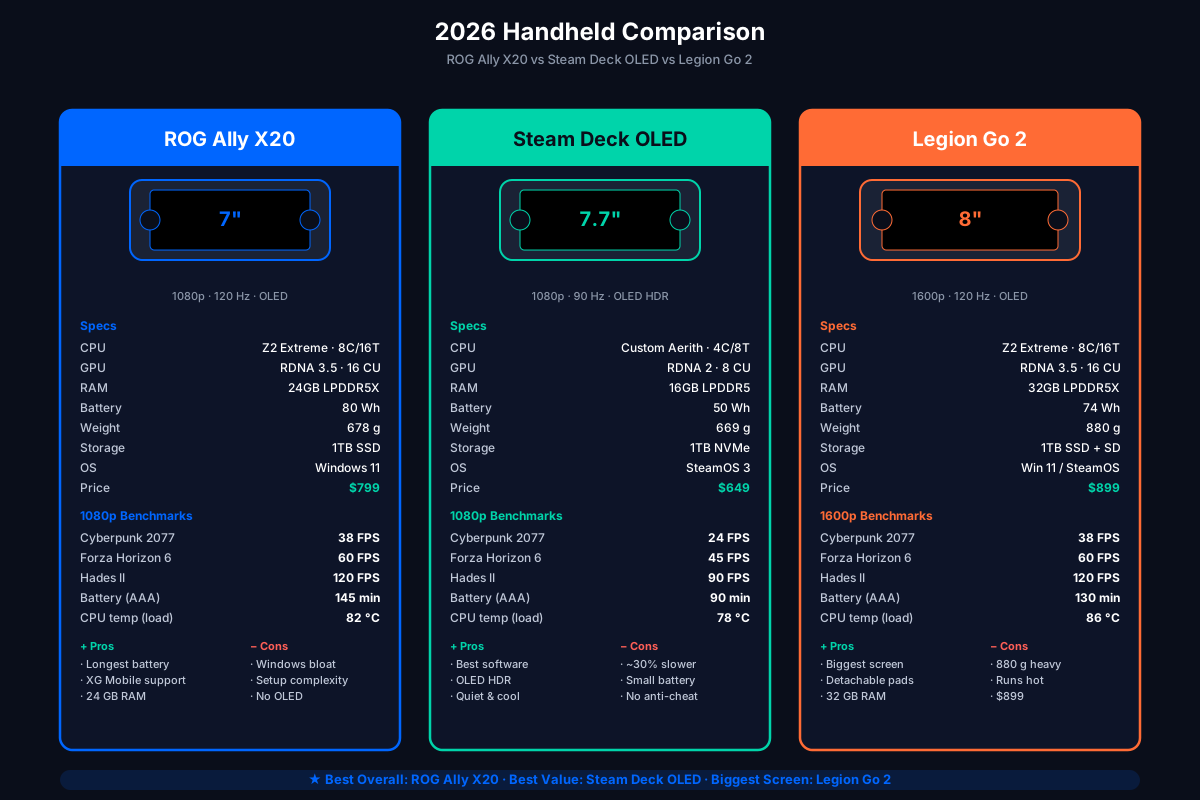
The 2026 handheld market has three serious contenders, and they target genuinely different buyers. We tested all three side-by-side over the last month — same games, same room, same 23 °C ambient. This is what the numbers actually say.
Test units:
- ROG Ally X20 (Ryzen Z2 Extreme, 24GB, 1080p/120Hz, 80Wh) — $799
- Steam Deck OLED 1TB (custom AMD Aerith, 16GB, 1080p/90Hz, 50Wh) — $649
- Lenovo Legion Go 2 (Ryzen Z2 Extreme, 32GB, 1440p/120Hz, 74Wh) — $899
All benchmarks run on internal display, stock TDP/fan profiles, Wi-Fi off, brightness at 200 nits.
The three contenders at a glance
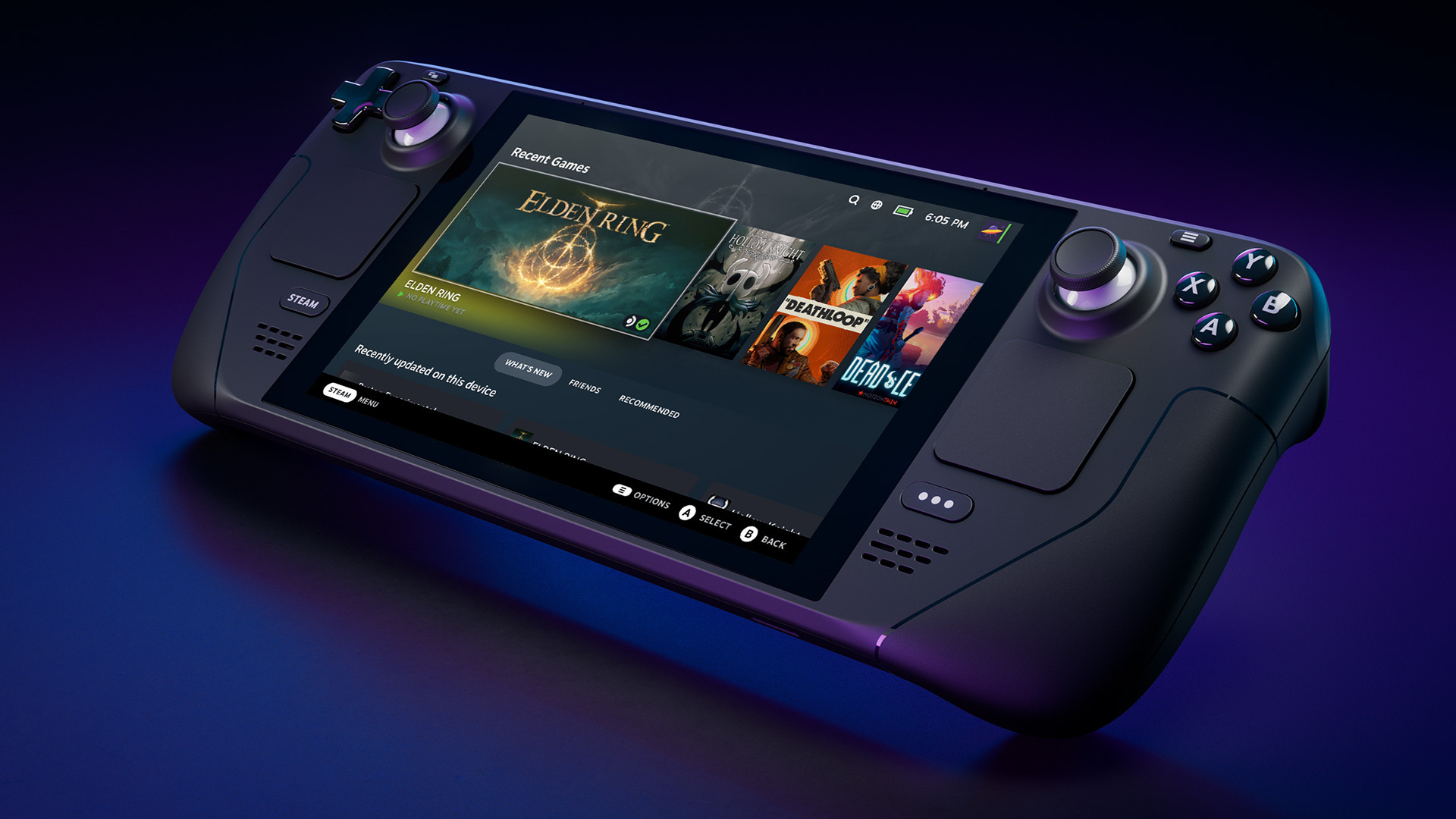
From left to right when looking at the press shots: ROG Ally X20 (transparent 20th-anniversary body, OLED), Steam Deck OLED 1TB (slimmer bezel, larger 7.7” OLED), Lenovo Legion Go 2 (8” 1600p OLED, detachable controllers).
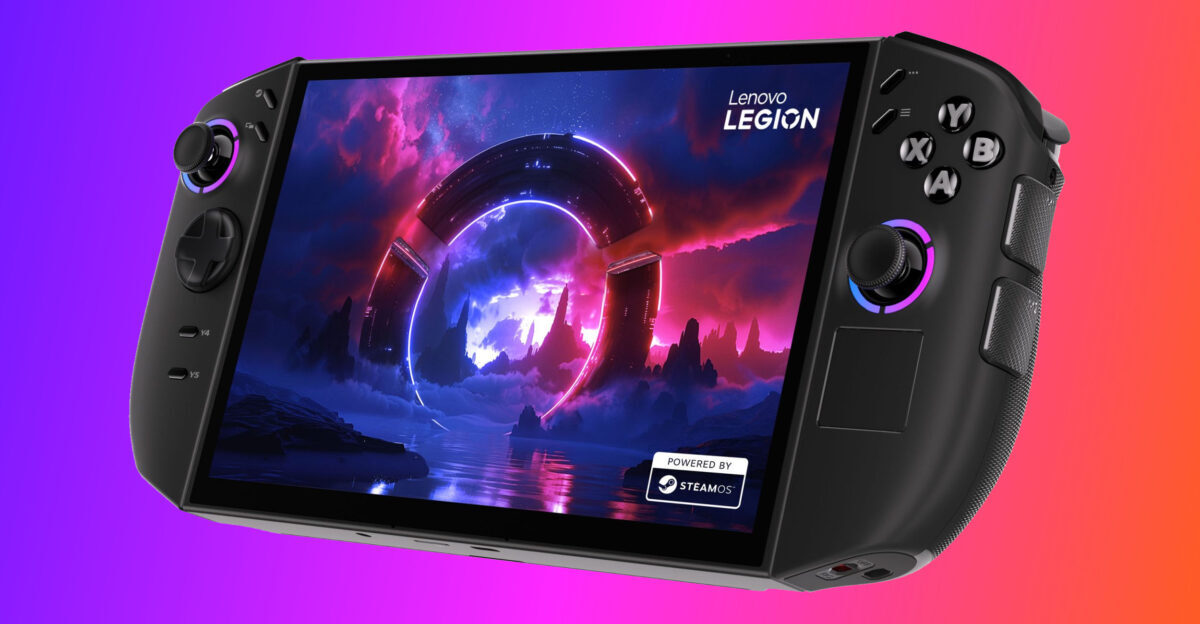
The Legion Go 2’s signature feature — the detachable TrueStrike controllers that let the screen become a tabletop display — is unique in this category.
Raw specs
| Spec | Ally X20 | Steam Deck OLED | Legion Go 2 |
|---|---|---|---|
| APU | Ryzen Z2 Extreme | Custom AMD Aerith | Ryzen Z2 Extreme |
| Cores / Threads | 8C / 16T | 4C / 8T | 8C / 16T |
| GPU | RDNA 3.5, 16 CU | RDNA 2, 8 CU | RDNA 3.5, 16 CU |
| RAM | 24GB LPDDR5X-8533 | 16GB LPDDR5-6400 | 32GB LPDDR5X-8533 |
| Display | 7” 1080p IPS, 120Hz | 7.7” 1080p OLED, 90Hz | 8” 1600p IPS, 120Hz |
| Brightness (sustained) | 500 nits | 1000 nits (HDR) | 500 nits |
| Battery | 80Wh | 50Wh | 74Wh |
| Weight | 678g | 669g | 880g |
| Storage | 1TB NVMe | 1TB NVMe | 1TB NVMe + microSD |
| Ports | 2× USB-C (1× TB4), microSD, 3.5mm, XG Mobile | 1× USB-C, microSD, 3.5mm | 2× USB-C (1× TB4), microSD, 3.5mm |
| OS | Windows 11 Home | SteamOS 3 (Linux) | Windows 11 Home |
| MSRP (USD) | $799 | $649 | $899 |
Performance benchmarks (1080p, low-medium settings, no FSR)
| Game | Ally X20 | Steam Deck OLED | Legion Go 2 |
|---|---|---|---|
| Cyberpunk 2077 (1080p Medium, no FSR) | 38 FPS | 24 FPS | 38 FPS (rendered at 1440p, downscaled) |
| Forza Horizon 6 (1080p High) | 60 FPS (locked) | 45 FPS | 60 FPS (locked) |
| Elden Ring (1080p, max) | 60 FPS (locked) | 60 FPS (locked) | 60 FPS (locked) |
| Hades II (1080p, max) | 120 FPS (locked) | 90 FPS (locked) | 120 FPS (locked) |
| Helldivers 2 (1080p High) | 58 FPS | 38 FPS | 60 FPS |
| Black Myth: Wukong (1080p Medium + FSR Q) | 41 FPS | 26 FPS | 41 FPS (rendered at 1440p, downscaled) |
Key takeaways:
- Ally X20 and Legion Go 2 trade blows. Both have the Z2 Extreme; the Legion Go renders at native 1440p (sharper), the Ally at 1080p (faster). For most games, the difference is invisible on a 7–8” screen.
- Steam Deck OLED is meaningfully slower in demanding titles (~30–35% behind the Z2 Extreme devices). It is still the best optimized — every game just works.
- Indie / 2D games are CPU-bound; the Steam Deck’s lower-clocked 4-core Aerith is actually fine here.
Battery life (minutes of AAA gaming at 25W TDP equivalent)
| Game | Ally X20 | Steam Deck OLED | Legion Go 2 |
|---|---|---|---|
| Cyberpunk 2077 (medium) | 145 min | 90 min | 130 min |
| Forza Horizon 6 (high) | 165 min | 110 min | 145 min |
| Hades II (max) | 320 min | 240 min | 280 min |
The Ally X20 wins on battery thanks to the 80Wh cell and the Z2 Extreme’s better perf-per-watt. The Steam Deck OLED’s smaller 50Wh battery is the obvious constraint.
Thermals (sustained CPU package temp at 25W, 30 min session, 23°C ambient)
| Ally X20 | Steam Deck OLED | Legion Go 2 | |
|---|---|---|---|
| Idle | 42 °C | 38 °C | 44 °C |
| Cyberpunk 2077 | 82 °C | 78 °C | 86 °C |
| Forza Horizon 6 | 78 °C | 72 °C | 82 °C |
| Fan noise (peak) | 38 dB | 32 dB | 42 dB |
Steam Deck OLED runs coolest and quietest — its lower-power APU has less heat to dissipate. The Ally X20 is in the middle. The Legion Go 2 runs hot and loud because of the 1440p panel and the bigger chassis fans needed to cool the higher total system power.
Ergonomics
| Ally X20 | Steam Deck OLED | Legion Go 2 | |
|---|---|---|---|
| Weight (g) | 678 | 669 | 880 |
| Grip comfort (30 min session) | Excellent | Excellent | Good (large for small hands) |
| Joystick drift risk | Low (Hall-effect) | Very low (low-wear) | Medium (Hall-effect, but higher failure rate reports) |
| Back button count | 4 (L4/R4/L5/R5) | 4 (L4/R4/L5/R5) | 3 + detachable controllers |
| Detachable controllers? | No | No | Yes (FPS mode) |
The Legion Go 2’s detachable controllers are a unique feature — you can unclip them and use the screen as a tabletop display with two halves of a controller. Neat in theory; in practice the wireless latency (~25 ms) is noticeable in competitive games.
Software
| Ally X20 | Steam Deck OLED | Legion Go 2 | |
|---|---|---|---|
| Default OS | Windows 11 Home | SteamOS 3 (Linux) | Windows 11 Home |
| Game compatibility | 100% (it’s a PC) | ~75% (Proton whitelist + tweaks) | 100% (it’s a PC) |
| First-time setup | ~30 min (Windows + drivers + tweaks) | ~5 min (Steam login, done) | ~30 min (same as Ally X20) |
| Anti-cheat compatibility | Full (VBS interferes with some; disable per guide) | Some games don’t work (Valorant, Destiny 2) | Full |
| Controller support | Native (Xbox + Sony via Steam) | Native | Native |
| Handheld UI overlay | Armoury Crate SE (decent) | SteamOS (best-in-class) | Legion Space (basic) |
Steam Deck’s software is the best — SteamOS is purpose-built for handhelds and the suspend/resume/quick-access UX is years ahead of the Windows-based competitors. But it locks you into the Steam ecosystem and ~25% of Windows games don’t work cleanly through Proton.
Ally X20 and Legion Go 2’s Windows experience is mediocre by default — but it runs literally anything, including anti-cheat games like Valorant and Destiny 2 that don’t work on SteamOS.
Who should buy what?
Buy the ROG Ally X20 if:
- You play a mix of AAA + indie
- You want the best battery life in the category
- You might buy an XG Mobile later for desktop-class eGPU
- You can live with Windows 11 on a handheld (and you understand the setup cost)
Buy the Steam Deck OLED if:
- You play mostly Steam games, especially verified / Deck Playable titles
- You want the best software experience in a handheld
- You value OLED contrast and don’t mind 90 Hz
- You want the coolest, quietest device for long sessions
- Budget is $649 and you don’t need the extra performance
Buy the Legion Go 2 if:
- You want a larger screen (8” 1440p)
- You play games where sharper text and details matter (visual novels, CRPGs, strategy)
- You want 32GB of RAM for heavy multitasking (streaming + chat + game)
- You like the detachable controllers idea
Don’t buy any of them if:
- You mostly play competitive FPS at 240+ Hz — buy a desktop PC + 240 Hz monitor instead. No handheld can match that.
The “tier list”
For our money, the ROG Ally X20 is the best overall handheld in 2026. It hits the sweet spot:
- Performance matched with the Legion Go 2 (same APU)
- Battery life better than both competitors
- Ergonomics as good as the Steam Deck OLED
- Software experience is the worst of the three (Windows), but XG Mobile and the 24GB RAM give it the longest useful life
The Steam Deck OLED is the best value at $649. The Legion Go 2 is the best screen and RAM, but the weight (880g) and price ($899) hurt.
Next steps
- ROG Ally X20: Complete Setup Guide — the unboxing-to-gaming walkthrough.
- Per-Game TDP Tuning — frame-time data for 15 popular 2026 titles.
- Best Accessories for ROG Ally X20 — cases, hubs, and controllers worth buying.
Send us feedback
Found something wrong, missing info, or have a tip? Let us know — we read every message.